
Laptop Stands & Cooling
A stand exists to raise the screen to eye level and get the vents off the desk. Two numbers cover it: the height range (you want the top of the screen roughly at eye height when seated) and the load rating (a 16-inch workstation is 2.2-2.5kg and will slowly collapse a weak hinge). Cooling pads are a separate product: they help bottom-intake laptops by a few degrees and do almost nothing for rear-vent machines.
What decides the purchase
- Height range
- The only ergonomic spec that matters. Raises the screen 10-20cm; check the top position, not the base
- Load rating
- Heavy laptops kill cheap hinges and plastic arms. 2kg minimum, 3kg+ for 16-inch machines
- Material
- Aluminium is stiffer and doubles as a heat sink. Aluminium for travel, ABS is acceptable for a fixed desk stand
- Cooling
- Airflow direction decides whether a pad helps. Bottom-intake laptops benefit; rear/side-vent ones barely change
- Portability
- A stand you do not carry is a stand you do not use. Folding sub-300g models for bags, fixed arms for desks
Our rule of thumb
Measure the height you need before buying, and pick a stand rated for your laptop's weight plus a margin. If the laptop already runs cool, skip the fans and buy the stiffer stand.
A stand exists to raise the screen to eye level and get the vents off the desk. Two numbers cover it: the height range (you want the top of the screen roughly at eye height when seated) and the load rating (a 16-inch workstation is 2.2-2.5kg and will slowly collapse a weak hinge). Cooling pads are a separate product: they help bottom-intake laptops by a few degree
Showing all 3 results
-
Laptop Stands & CoolingView buying decision
COOLCOLD 17inch Gaming Laptop Cooler Six Fan Led Screen Two USB Port 2600RPM Laptop Cooling Pad Notebook
Catalog price · Nov 9, 2026 Original price was: $51.07.$23.49Current price is: $23.49. -
Laptop Stands & CoolingView buying decision
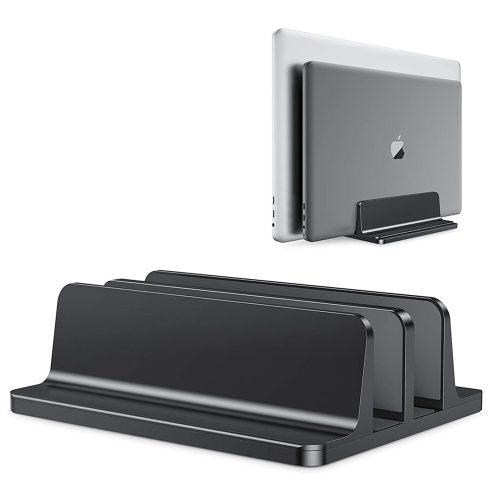
Vertical Laptop Stand Aluminium Adjustable Portable Notebook Mount Support Base Holder For MacBook Pro Air
Catalog price · Nov 9, 2026 Original price was: $46.50.$18.19Current price is: $18.19. -
Laptop Stands & CoolingView buying decision
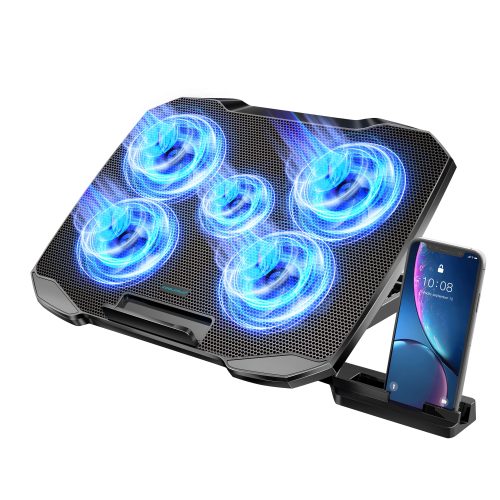
COOLCOLD Laptop Cooling Pad for 12-17 Inch Laptop Cooler Stand 5 Quiet Fans 5 Angle Adjustable with Phone
Catalog price · Nov 9, 2026 Original price was: $53.72.$22.29Current price is: $22.29.

Selection rule behind these listings: at least 200 recorded orders, buyer rating 4.5+, inside the category price band — ranked by order volume × rating ÷ price. See all 16 categories · method.