
Mice, Keyboards & Input Devices
Input devices are the one place where the cheap tier is genuinely good enough. A 2.4GHz wireless mouse with a 1000Hz polling option and a decent sensor beats a $90 one for office work, and a hot-swappable mechanical keyboard at this price is a better long-term buy than a membrane board because you can replace a failed switch instead of the whole keyboard.
What decides the purchase
- Polling rate
- The number you actually feel as responsiveness. 125Hz office, 500Hz fine, 1000Hz for gaming
- Sensor / switch
- Optical sensors are all good now; switches are the wear item. PixArt 3325-class sensor, hot-swap sockets for mechanical boards
- Connection
- 2.4GHz dongle is lower latency than Bluetooth. 2.4G for desktop, BT for laptop and tablet, wired for zero doubt
- Battery
- Rechargeable vs AAA matters for the annoyance factor. Built-in 400-800mAh lasts weeks with RGB off
- Layout
- 60% and TKL boards lose keys you may need. 60% needs layers for arrows; 75%/TKL keeps arrows and function row
Our rule of thumb
Choose the layout you can type on without relearning, then the connection. For a first mechanical board, hot-swap is worth more than RGB or a metal case.
Input devices are the one place where the cheap tier is genuinely good enough. A 2.4GHz wireless mouse with a 1000Hz polling option and a decent sensor beats a $90 one for office work, and a hot-swappable mechanical keyboard at this price is a better long-term buy than a membrane board because you can replace a failed switch instead of the whole keyboard.
Showing all 3 results
-
Mice, Keyboards & Input DevicesView buying decision
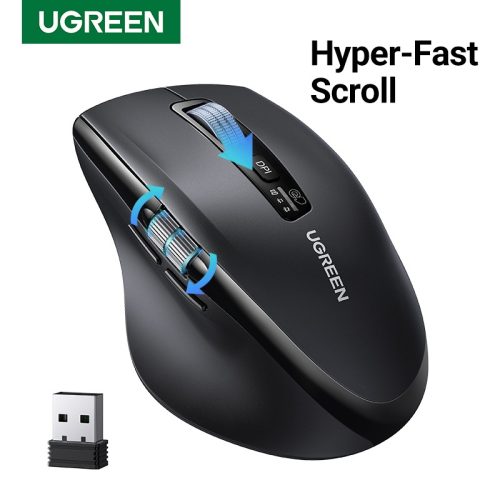
UGREEN Hyper-Fast Scroll Wireless Mouse Bluetooth 5.4 2.4G Ergonomic 5000DPI for MacBook Tablet Laptops
Catalog price · Nov 9, 2026 Original price was: $48.32.$18.44Current price is: $18.44. -
Mice, Keyboards & Input DevicesView buying decision
Akko MonsGeek FUN68 FUN60 PRO&MAX HE Magnetic Keyboard 60% 65% Gaming Keyboards Rapid Trigger 8K Custom
Catalog price · Nov 9, 2026 Original price was: $69.04.$29.29Current price is: $29.29. -
Mice, Keyboards & Input DevicesView buying decision
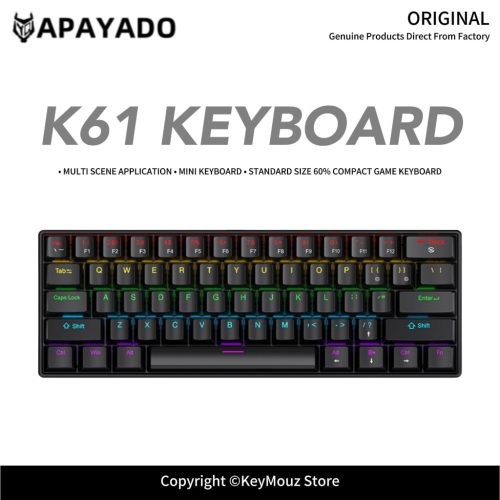
60% K61 Wired Mini Mechanical Keyboard APAYADO RGB Backlit Compact Gaming Office Keyboard
Catalog price · Nov 9, 2026 Original price was: $27.57.$11.15Current price is: $11.15.

Selection rule behind these listings: at least 200 recorded orders, buyer rating 4.5+, inside the category price band — ranked by order volume × rating ÷ price. See all 16 categories · method.