
USB-C Hubs, Docks & Card Readers
A hub is a bandwidth-sharing device, and every spec that matters is about which port gets what. DP alt mode decides whether HDMI works at all, HDMI 2.0 vs 2.1 decides 4K60 versus 4K120, and PD passthrough is always the charger wattage minus what the hub eats — a 100W charger behind a 7-in-1 hub typically delivers 85W to the laptop.
What decides the purchase
- Video output
- The most common reason a hub disappoints. 4K30 on DP alt mode 1.2, 4K60 needs 1.4/HDMI 2.0, 8K needs HDMI 2.1 + DSC
- PD passthrough
- Laptop charging is not free. 100W in gives 85-90W out; 60W chargers give 45W
- USB generation
- All downstream ports usually share one 5Gbps uplink. USB 3.0 5Gbps shared, USB 2.0 ports are for keyboard and mouse
- Card readers
- SD 4.0 vs UHS-I is a 3x difference in transfer time. UHS-II for camera workflows, UHS-I is fine for phones
- Ethernet
- Built-in RJ45 saves a dongle and is more stable than hotel WiFi. 1Gbps is standard; 2.5G only on newer premium hubs
Our rule of thumb
Decide the display resolution first, then count the ports you actually use. If the laptop is the only charger you carry, make sure the hub passes at least 85W so you can charge through it.
A hub is a bandwidth-sharing device, and every spec that matters is about which port gets what. DP alt mode decides whether HDMI works at all, HDMI 2.0 vs 2.1 decides 4K60 versus 4K120, and PD passthrough is always the charger wattage minus what the hub eats — a 100W charger behind a 7-in-1 hub typically delivers 85W to the laptop.
Showing all 3 results
-
USB-C Hubs, Docks & Card ReadersView buying decision
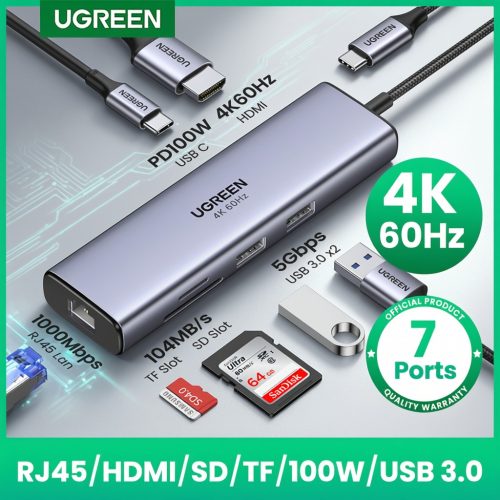
USB HUB UGREEN 7-in-1 UGREEN USB HUB 7-in-1 Type-C to 4K60Hz HDMI SD&TF 5Gbps USB3.0 PD100W for Lapop Macbook
Catalog price · Nov 9, 2026 Original price was: $34.66.$18.52Current price is: $18.52. -
USB-C Hubs, Docks & Card ReadersView buying decision
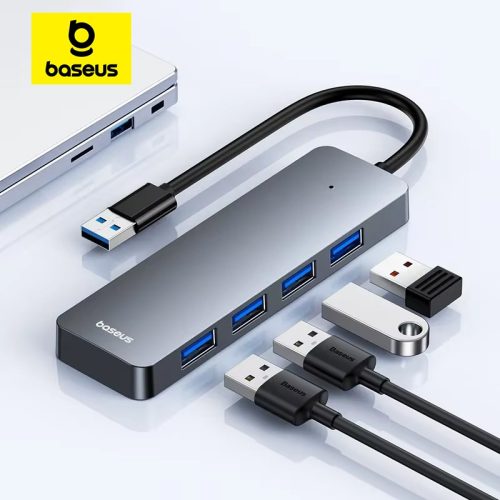
Usb Hub Multi Port Splitter Baseus Usb Hub 4 Port ABS Hub Usb 3 0 for Laptop Multi Splitter Adapter For
Catalog price · Nov 9, 2026 Original price was: $16.70.$6.79Current price is: $6.79. -
USB-C Hubs, Docks & Card ReadersView buying decision
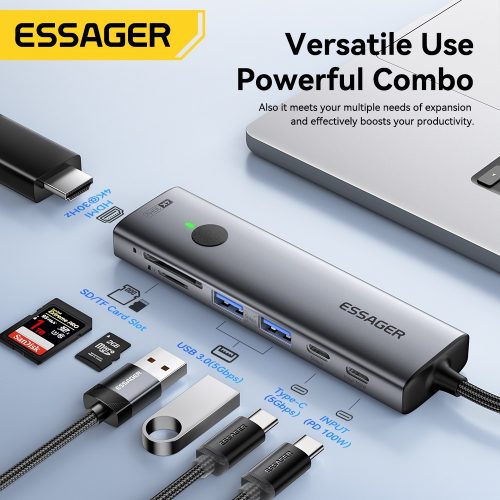
Essager USB C HUB 4K 7-in-1 Type C to HDMI PD 100W SD&TF USB 3.0 5Gbps Multiport Adapter for MacBook Laptop
Catalog price · Nov 9, 2026 Original price was: $45.19.$12.09Current price is: $12.09.
Selection rule behind these listings: at least 200 recorded orders, buyer rating 4.5+, inside the category price band — ranked by order volume × rating ÷ price. See all 16 categories · method.